All modules
    Execution Workflow

    Execution Workflow

    Insights without action are just reports. Execution Workflow turns schema issues, score drops, and AI visibility gaps into a team-ready task board. Fix it, assign it, track it, ship it. All without touching your codebase.

    Task Kanban Board
    Execution workflow board for AI-generated schema and visibility tasks.

    What this module does

    Each capability solves a distinct problem inside this module. Skim the list to see what ships out of the box.

    • Auto-generated tasks from schema issues, score regressions, and visibility drops
    • Kanban and list task board with assignee support, priority levels, and status tracking
    • Export tasks to Excel, Jira or Trello with one click. Track execution outside the platform if your team prefers it.
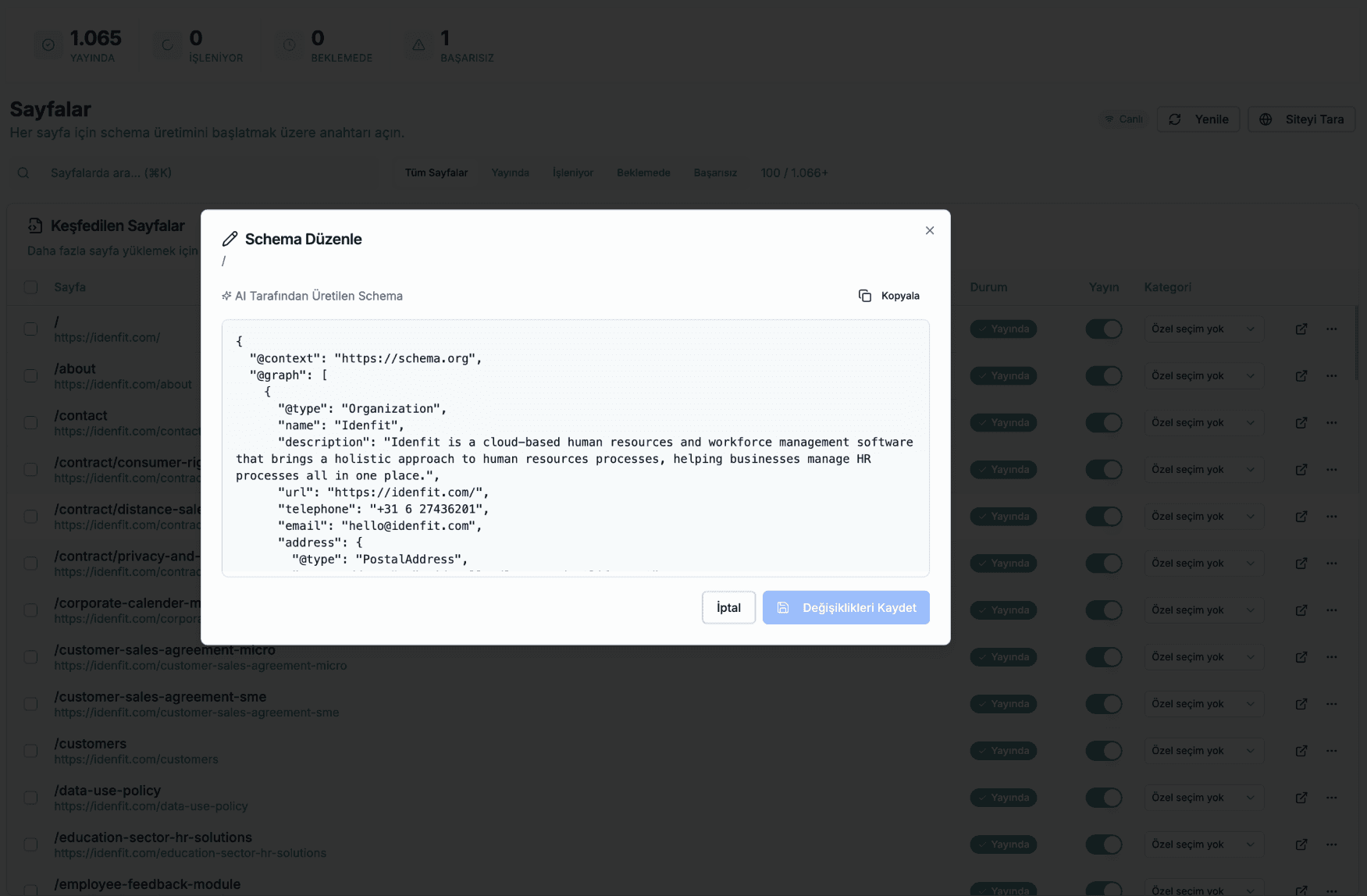
    • AI-powered schema generation for 900+ schema.org types. One click per page.
    • CDN delivery: schema served via a single JS snippet, no changes to your website code

    What you measure and what changes

    The metric this module tracks and the practical outcome you should see after a few cycles in a workspace.

    What you measure

    Tasks completed → score improvements

    What changes

    Schema shipped via CDN. No developer required.

    When the AI generator produces a new schema for a page, it's deployed through your CDN integration automatically. Your site picks it up without a redeploy. Your team sees the task move to Done. Your scores update in the next scan.

    Tasks that spawn from score events, not manual entry

    Most teams build their content backlog by hand, in a spreadsheet, after a quarterly audit. Brandop turns it inside out. Every score scan ends with the issues already converted into tasks. PageSpeed mobile issues, SEO findings split by category, GEO visibility gaps, SERP tracking deltas, schema validation defects, llms.txt issues, AI-crawler access problems, and brand-mention drops all become structured tasks ready to assign.

    Every task is concrete: a title, a description, an AI-generated suggestion for how to fix it, and the list of pages affected by the issue. Each task carries a score type (PageSpeed, SEO, GEO, SERP, or manual), a priority (critical, high, medium, low), and an estimated impact (high, medium, low) so triage works the same way across every type.

    The same issue across multiple scans never produces duplicate tasks. If an issue resurfaces, the existing task absorbs the new affected pages, and the description refreshes only when the issue text actually changed. Every task ships with an AI suggestion for how to fix it; suggestions are cached so the same issue surfacing again doesn't regenerate work.

    Kanban or list, your team's choice

    Tasks render in a Kanban board or a list view; which mode is available depends on your plan (list, kanban, or full). Filters cover status, score type, task type, and priority. Search hits both the title and the description. Multi-assignee is supported: a task has a primary owner plus an optional collaborators list.

    Selection mode supports bulk operations within explicit limits: 50 tasks per export to Jira or Trello, 500 per Excel export. The Jira and Trello batches are intentionally tighter because each platform has its own rate limits. The board auto-refreshes every 8 seconds when its tab is focused so a teammate's status change shows up without a manual reload, and pauses when the tab is in the background.

    When a task is exported, the export is recorded against the task: which platform, the issue or card it created, and the timestamp. Export is non-destructive; the task stays visible in Brandop with the export pinned to it. Re-exporting the same task creates a new linked record rather than overwriting the old one.

    Export to Jira, Trello, or Excel cleanly

    Jira export supports both Cloud and Server. Cloud uses OAuth 2.0 with tokens encrypted at rest and refreshed on expiry; Server uses a Personal Access Token with the same encryption. Each export creates an issue in your configured project and issue type. The description is sent in Atlassian's rich format on Cloud and as plain text on Server, and includes the AI suggestion, affected pages, source, type, and estimated impact.

    Priorities map cleanly: Critical to Highest, High to High, Medium to Medium, Low to Low (and the mapping is editable per workspace). Exported issues carry a brandop label plus labels for the score type and task type, so your existing triage rules and filters pick them up out of the box. Bulk exports pace themselves automatically and stay within Atlassian's rate limits, so a 50-task push completes without errors.

    Trello export uses an API key plus token. List mapping is per-status: todo, in progress, done, and dismissed each map to a Trello list you choose. Label colour maps per priority (critical to red, high to orange, medium to yellow, low to green by default), and the card lands at the bottom of the target list. Excel export ships as a .xls file Excel opens cleanly, with 13 columns covering every important field, a hard cap of 500 tasks per export, and a permission gate restricting it to workspace owners and admins.

    Schema delivered through a single script tag

    Adding Brandop's schema to your site is a single script tag pointing at the Brandop CDN, with your workspace's public client key as a data attribute. The loader fetches the right schema for the current page and injects it as JSON-LD, then reports the page view back to Brandop for analytics. For single-page apps, it re-runs automatically when the route changes. No second script to add, no special build step.

    The schema endpoint is cached at the edge with a one-hour TTL, tagged so cache invalidation is targeted. Regenerating a page's schema invalidates only that page's tag; deselecting a page invalidates only that page; a plan-status change invalidates the entire workspace. A per-IP rate limit prevents scraping. Each request also checks the requesting hostname against your workspace domain plus an explicit allowlist, so the schema only serves on properties you actually own.

    The catalog covers 906 schema.org types end to end (verified count, not a marketing round number). The generator picks the right type for each page rather than defaulting to WebPage, and per-category schema rules keep it from making the common JSON-LD mistakes. When you need precise hand-written control over a specific page, your custom JSON-LD overrides the AI-generated output entirely.

    See it working

    The examples below show how this capability works inside a real workspace. No mockups. This is exactly what you see when you sign in.

    AI-Powered Generation

    See What AI Creates For You

    AI analyzes your page content and generates structured JSON-LD schema for any content type.

    Your Page Content
    Product, Offer, Review
    Generated JSON-LD
    Valid
    {
    "@context": "https://schema.org",
    "@type": "Product",
    "name": "Wireless Bluetooth Headphones",
    "image": "https://example.com/headphones.jpg",
    "description": "Premium noise-cancelling wireless headphones with 30-hour battery life",
    "brand": {
    "@type": "Brand",
    "name": "AudioTech Pro"
    },
    "offers": {
    "@type": "Offer",
    "price": "149.99",
    "priceCurrency": "USD",
    "availability": "https://schema.org/InStock",
    "seller": {
    "@type": "Organization",
    "name": "TechStore"
    }
    },
    "aggregateRating": {
    "@type": "AggregateRating",
    "ratingValue": "4.7",
    "reviewCount": "2,847"
    }
    }
    16 General Categories
    900+ Sub-types
    Auto-Detection
    Content analysis
    100% Valid
    Schema.org compliant
    Instant
    Generation time
    60-Second Setup

    One Line of Code. That's It.

    No complex integrations, no API calls, no build process changes. Add our script and you're ready.

    index.html
    <!-- Add this before </head> -->
    <script
      src="https://cdn.brandop.ai/v4/schema-loader.min.js"
      data-project="YOUR_PROJECT_KEY">
    </script>
    What happens:
    CDN loads schema
    Injects into <head>
    Google & AI systems understand your content

    Manual Approach

    Traditional schema implementation

    Learn Schema.org standards

    2-4 hours

    Write JSON-LD for each page

    30 min/page

    Test with Google's tool

    15 min/page

    Deploy to production

    1-2 hours

    Maintain & update schemas

    Ongoing
    Total time:8+ hours

    With Brandop

    Automated AI-powered solution

    Add one script tag

    10 seconds

    Done! Auto-crawl & generate

    60 seconds (Results may vary)
    Total time:60 seconds (Results may vary)
    Works Everywhere
    Any website platform
    Zero Impact
    No performance hit
    Auto Updates
    Always fresh schemas
    Secure
    CDN or API served

    Powerful Features

    Everything you need to generate and manage schema markup at scale

    schema.json
    {
    "@context": "schema.org",
    "@type": "Product",
    "name": "...",
    "price": "$99.00"
    }
    AI

    AI-Powered Schema Generation

    What is it? Advanced AI that automatically identifies and generates the perfect JSON-LD schema type for any webpage content.

    Schema Ready
    42ms
    Instant
    Global
    Cached

    Global CDN Delivery

    One-line integration with ultra-fast global delivery. Boost your SEO visibility instantly with zero performance impact.

    Weekly
    Monthly
    Updating schemas...

    Scheduled Auto-Regeneration

    Pro+

    Keep your structured data fresh. Automatically update schemas on a weekly or monthly basis as your content evolves.